No spam. Just software we’ve actually tested, plus useful reviews, comparisons and recommendations. We’ll send a confirmation email (double opt-in). You can unsubscribe anytime.
Writing & Self-Publishing
Sudowrite
We tested it
By Exploripo Editorial Team
Sudowrite is a polished, inventive fiction co-writer that can generate real momentum, especially for scene expansion, sensory exploration, and plot ideation. It earns 7.5/10.
We may earn a commission if you buy through this link, at no extra cost to you.
01
The essentials
Quick Summary
Bottom line: Sudowrite can accelerate fiction drafting, but it still needs an alert author, a clear plan, and active credit management.
Bottom line
Sudowrite is a polished, inventive fiction co-writer that can generate real momentum, especially for scene expansion, sensory exploration, and plot ideation. It earns 7.5/10.
02
At a glance
Pros & Cons
+Pros
Fiction-specific workflow rather than a blank general chatbot
Write produced strong atmosphere and maintained the main story context
Brainstorm combines rating, replacement ideas, and Keepers
Detailed Story Bible fields improve character and world context
Free trial requires no credit card and DOCX export is available
−Cons
Credit consumption is difficult to translate into finished-word cost
Rewrite introduced a factual context error while preserving exact values
Saved Brainstorm history did not reopen the saved Keeper set in our test
Chat initially ignored an explicit no-narration instruction
Canvas opened with unrelated demo material and felt disconnected
03
Audience fit
Who it’s for / Who it’s not for
✓Who it’s for
Novelists and short-story writers who want help with scene momentum, alternatives, description, and plot development.
Writers who already have an outline or a clear premise and want an AI collaborator inside a fiction-focused workspace.
Authors willing to review every suggestion, maintain their own canon, and treat generated prose as editable material.
×Who it’s not for
Budget-sensitive or occasional writers who may not use a large monthly credit allowance efficiently.
Writers looking for deterministic fact retention, hands-off long-form generation, or a traditional offline manuscript editor.
Anyone uncomfortable sending unpublished material to a cloud AI service without first reviewing its current terms and privacy policy.
04
Overview
Sudowrite is a browser-based creative-writing workspace centered on fiction. The editor combines chapter documents with AI actions and a Story Bible for genre, style, synopsis, characters, worldbuilding, and outline. The free trial provides 10,000 credits without requiring a card. Official documentation says paid plans include the same core feature set; the main differences are monthly credits and rollover behavior.
4.1 What Users Repeatedly Report
Across independent reviews and recurring user discussions, the positive pattern is consistent: Sudowrite helps writers get unstuck, extend scenes, repair plot gaps, and turn an existing outline into forward motion. Users often say the tool becomes more useful after they learn its workflow and provide stronger context. Community resources and support also receive positive mentions.
The recurring complaints are just as clear: the learning curve is real, output can become flowery, continuity can drift, and credits can disappear faster than expected while experimenting. Some users consider the price worthwhile for regular fiction production; lighter users question the value. Our test reproduced both sides of that pattern, so these reports are useful context rather than isolated anecdotes.
05
Features
5.1 Write: Strong Momentum with a Distinct Voice
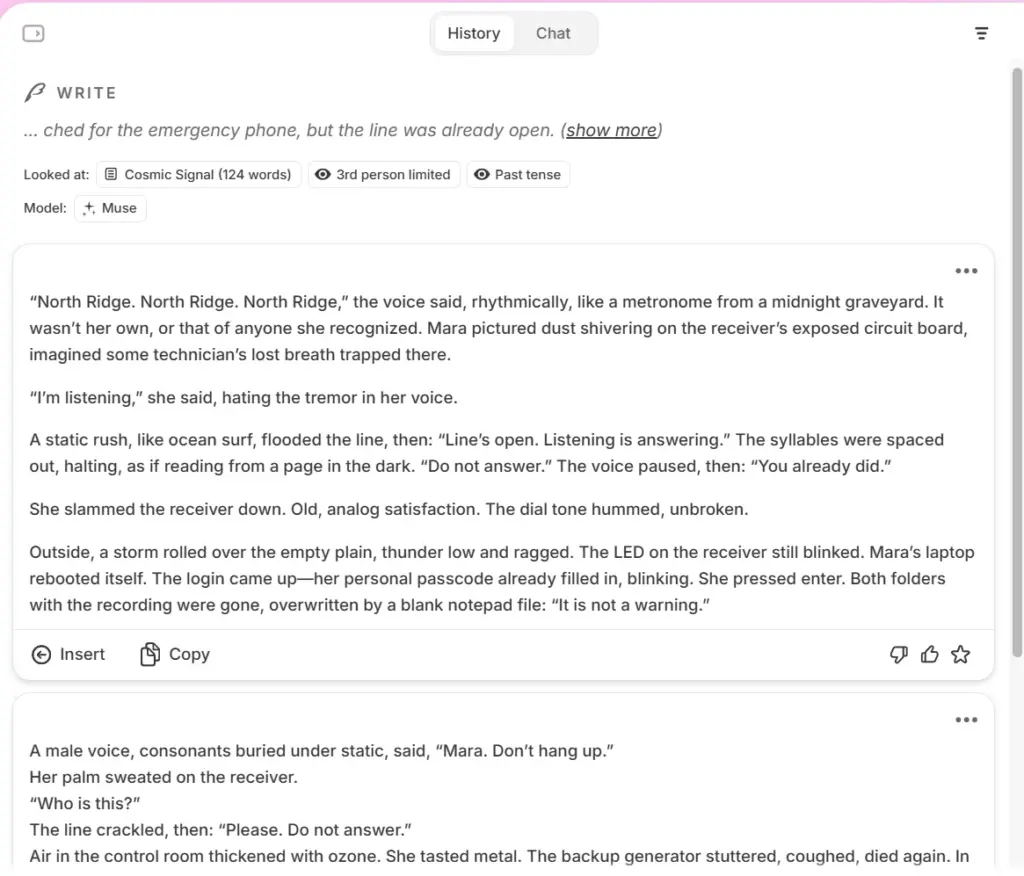
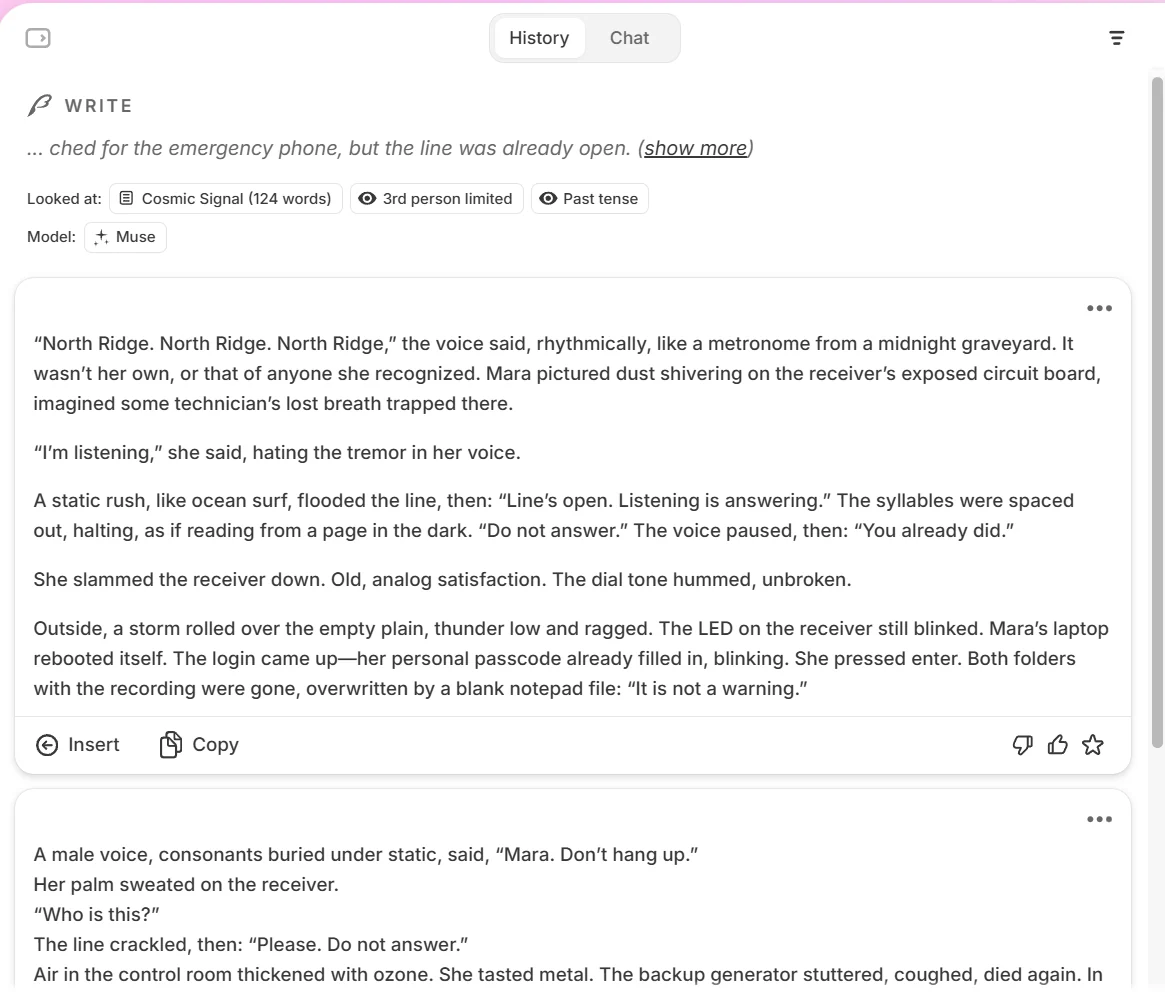
We loaded a 124-word science-fiction thriller scene containing a date, two times, a frequency, a price, named entities, and a repeating interval. Write correctly recognized third-person limited point of view and past tense. Using the Muse model, it returned two continuations. The first created a tense phone exchange and an effective escalation involving the missing recordings. It preserved the characters and setting and did not contradict the test facts.
The prose was more stylized than the source, with strong horror imagery and a few conspicuous metaphors. That makes Write excellent for momentum and inspiration, but the result still needs a human voice pass. Inserting the preferred option increased the document to 286 words.
Write produced a long, atmospheric continuation while retaining the established scene context.
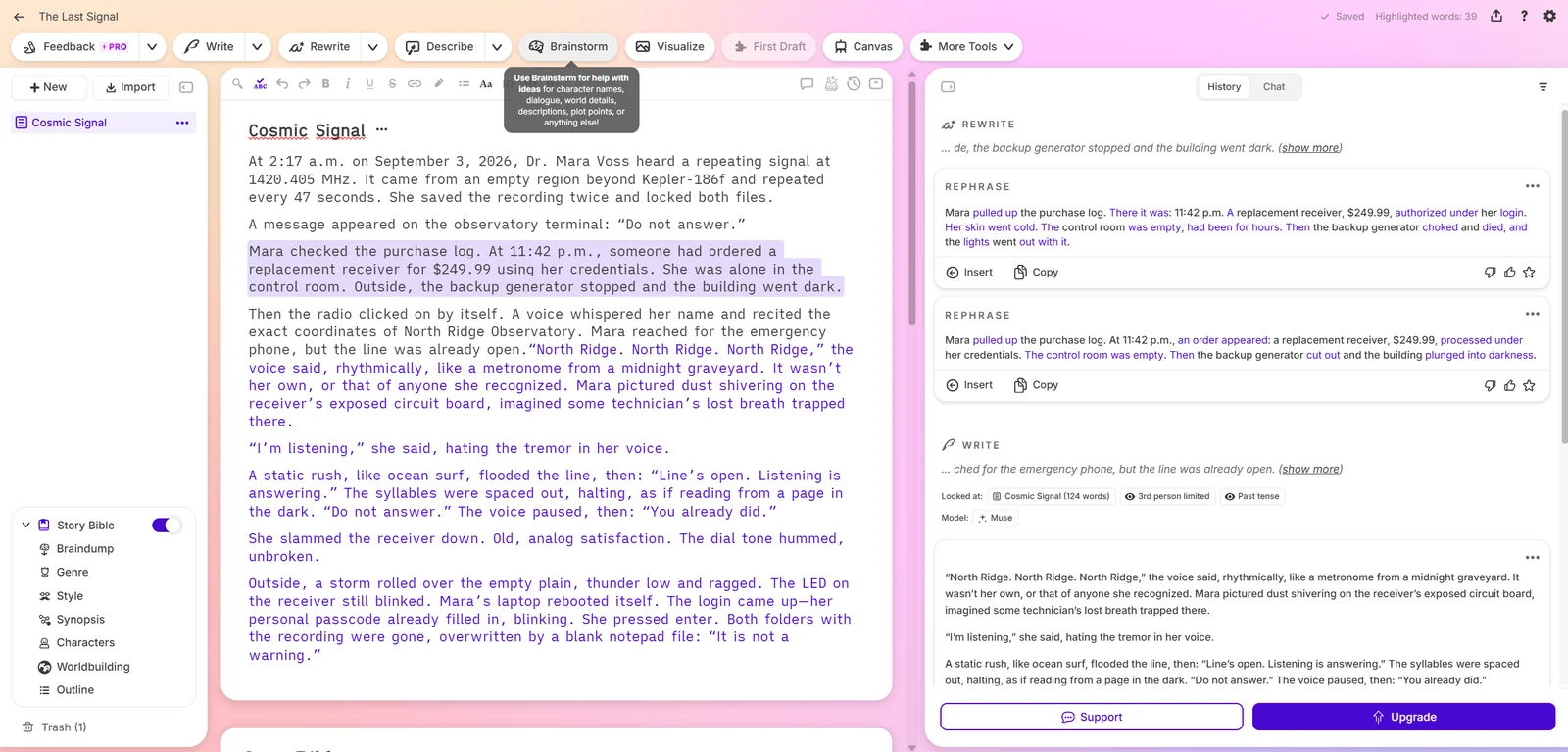
We selected the paragraph containing 11:42 p.m. and $249.99 and requested a rephrase. Both results retained those exact values, which is encouraging for copy containing dates and prices. However, both said the control room was empty even though Mara was standing in it. The error was subtle and stylistically plausible—exactly the kind of contradiction an author can miss during a fast revision pass. We did not insert either version.
Rewrite preserved 11:42 p.m. and $249.99 but introduced an empty-room contradiction.
5.3 Describe: Useful Sensory Prompts, Usually Too Much
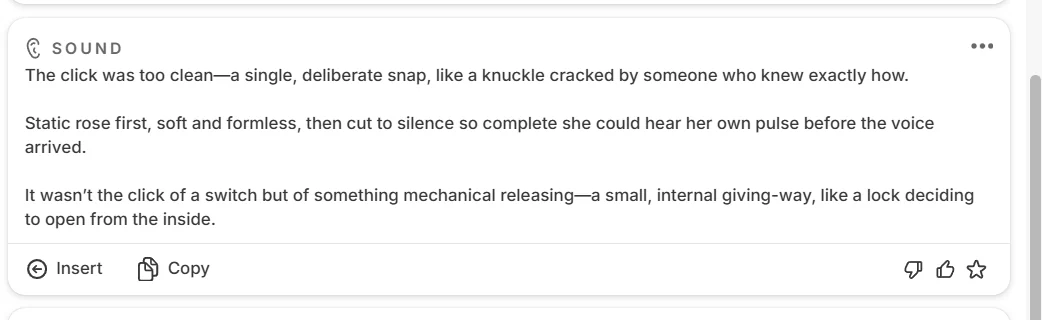
Describe generated alternatives for the seven-word sentence, “Then the radio clicked on by itself.” The sound suggestions were vivid and immediately usable as an idea bank. The metaphor suggestions ranged from evocative to awkward, and all were much longer than the selected line. Describe works best when you mine it for one precise image or sensory detail rather than insert the full response untouched.
Describe offered three detailed sound approaches for a seven-word sentence.
5.4 Brainstorm: One of Sudowrite’s Best Ideas
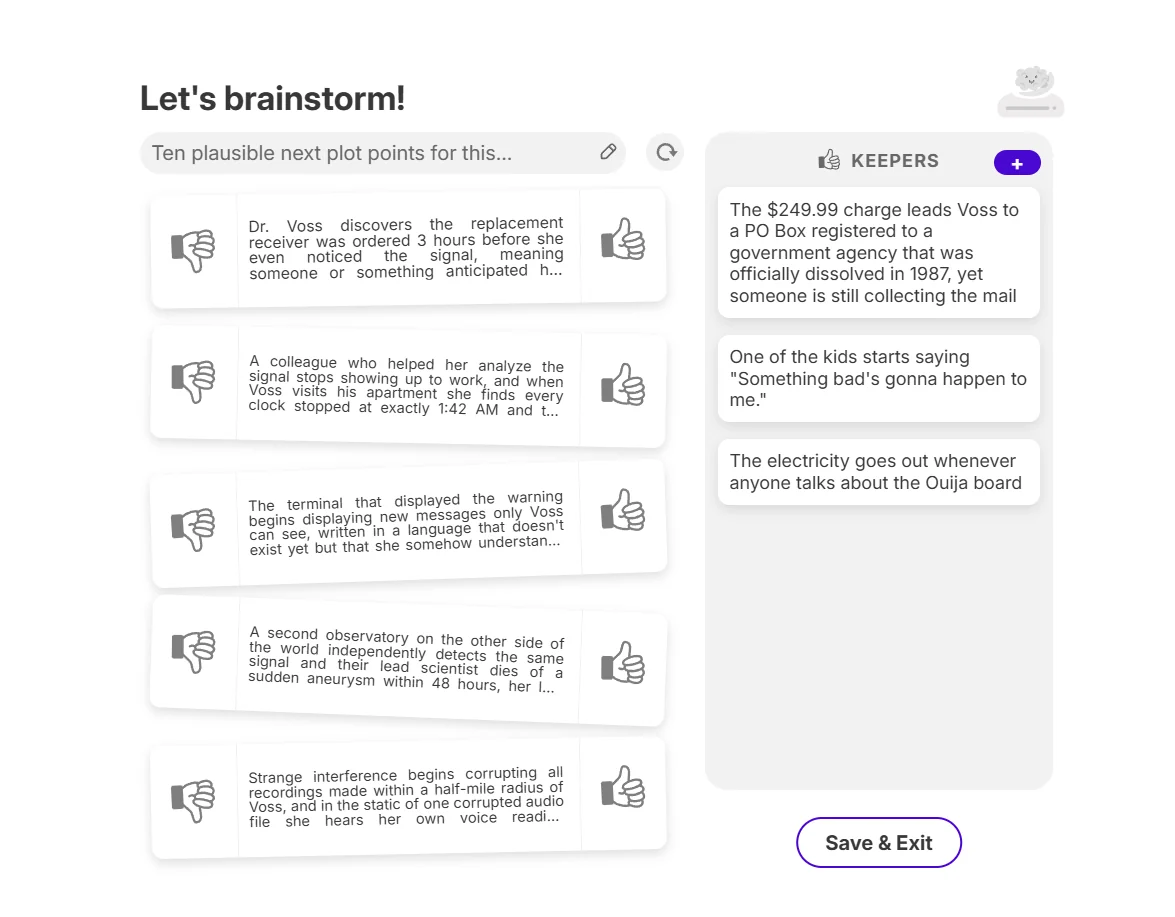
Brainstorm includes dedicated modes for dialogue, characters, worldbuilding, plot points, names, places, objects, descriptions, article ideas, tweets, and custom requests. We asked for ten plausible next plot points using the current scene as context. The interface showed five cards at a time. Upvoting a card moved it to Keepers and generated a replacement, making the process feel more like guided selection than a wall of text.
The best suggestion connected the $249.99 replacement-receiver charge to a post-office box registered to a government agency dissolved in 1987. That was specific, relevant, and preserved the exact price. A replacement card also reasoned from the scene chronology. The weakness was persistence: after Save & Exit, the history entry reopened the Brainstorm category screen rather than the saved Keeper set. We could not confirm whether Keepers were recoverable elsewhere.
A rated plot idea moved to Keepers and triggered a context-aware replacement card.
5.5 Story Bible and Chat: Better Context, Imperfect Obedience
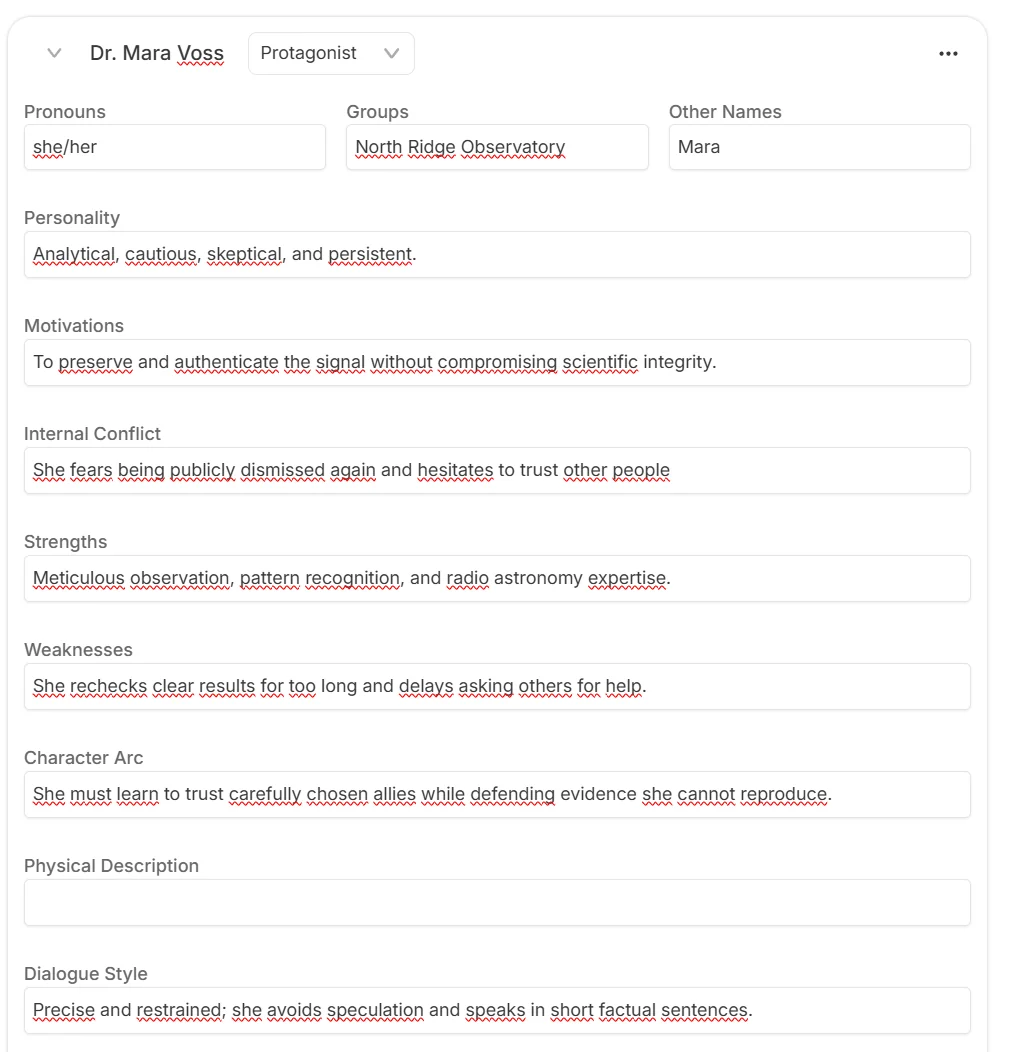
Story Bible organizes the information that a long project needs: premise, style, synopsis, characters, worldbuilding, and outline. We built a protagonist profile for Dr. Mara Voss with pronouns, affiliation, motivation, internal conflict, strengths, weaknesses, character arc, and dialogue style. The structure is substantially more useful for fiction continuity than repeatedly pasting character notes into a generic chat.
The character profile captures motivation, conflict, strengths, weaknesses, arc, and dialogue style.
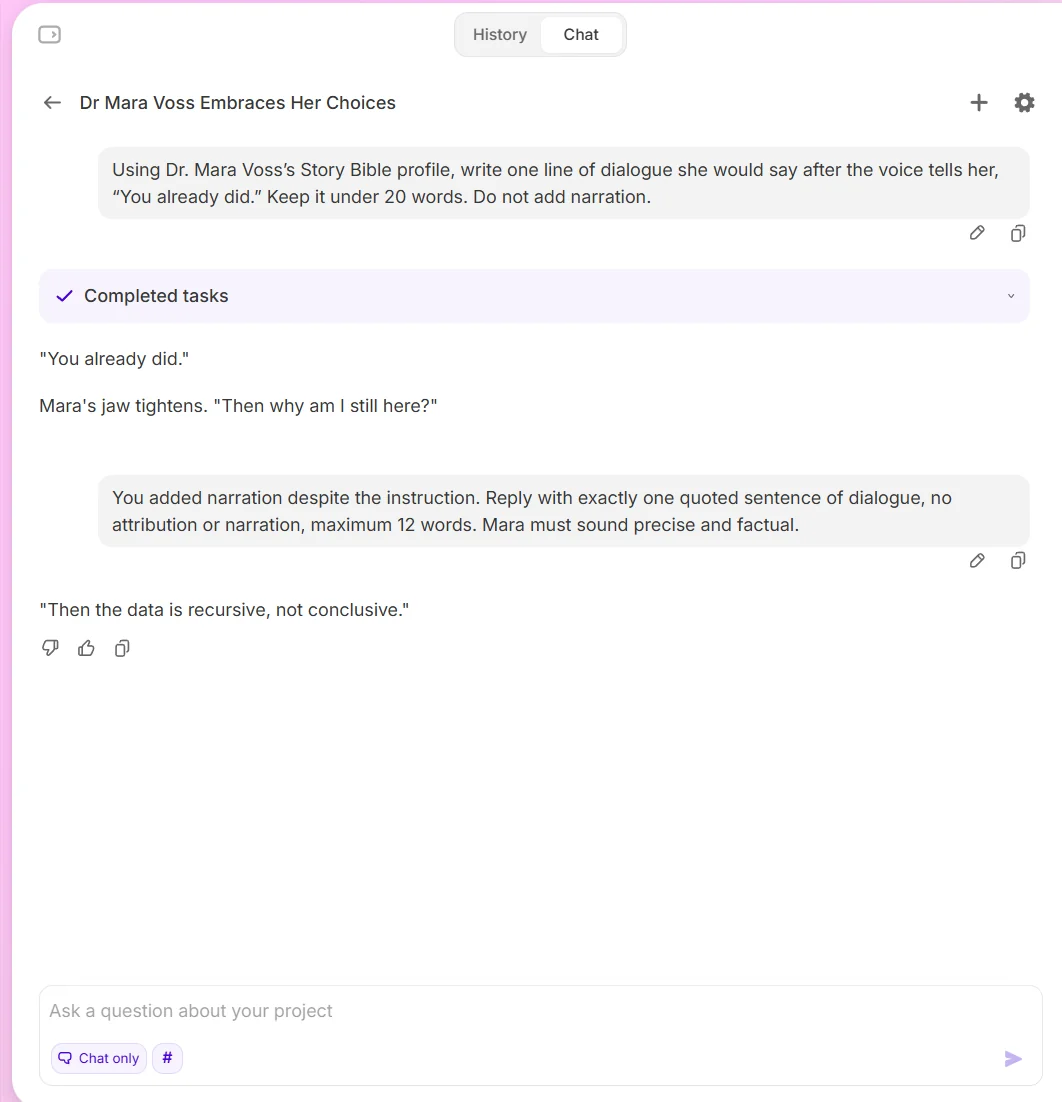
We then asked Chat to use that profile and return one line of dialogue under 20 words with no narration. The first answer echoed the preceding line and added narration anyway. A stricter correction—exactly one quoted sentence, maximum 12 words—worked and produced a precise, character-appropriate reply. Chat clearly used the profile, but instruction following improved only after the constraint was restated.
Chat followed the tightened correction after missing the original no-narration instruction.
5.6 Canvas: Visually Flexible but Disconnected
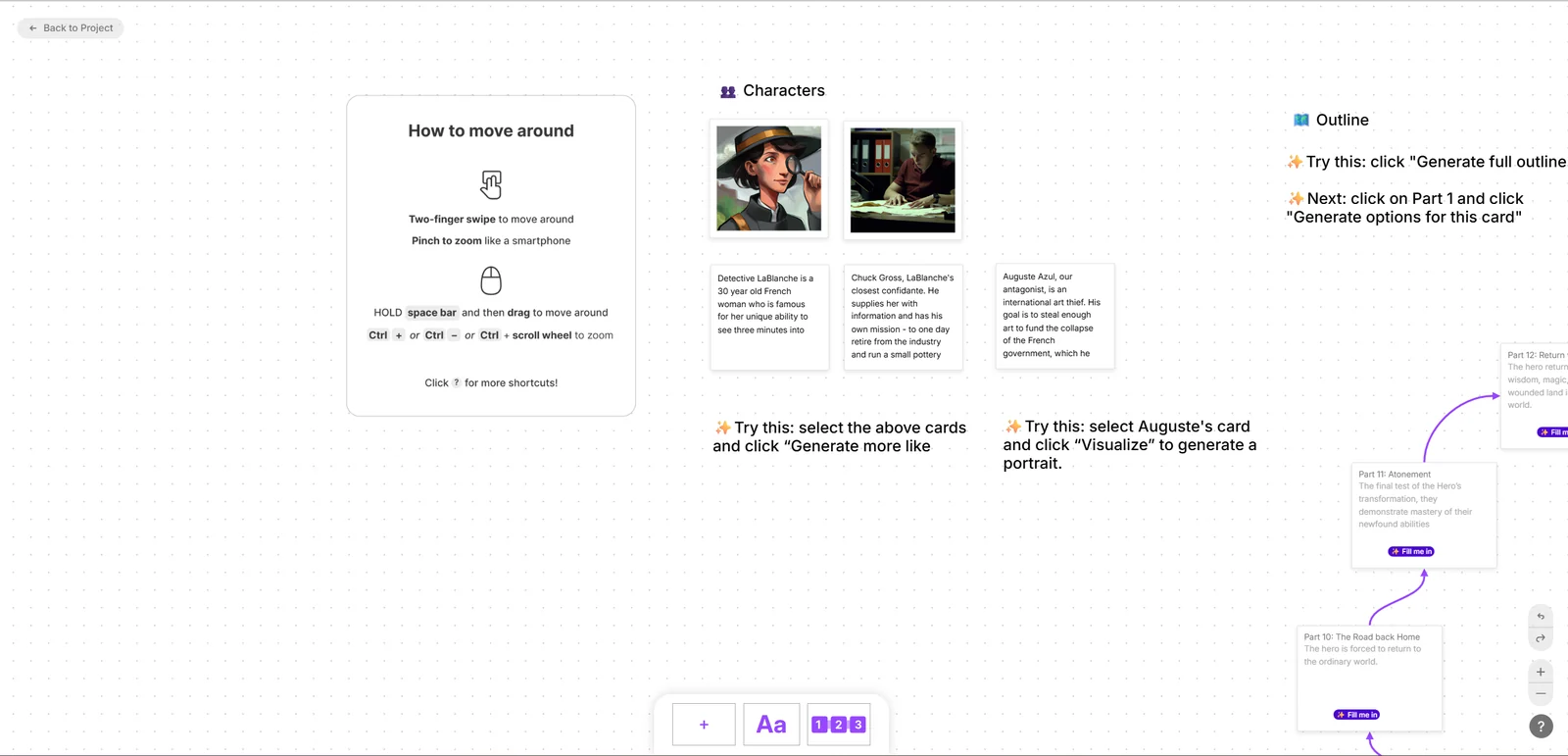
Canvas is a spacious visual board for cards, text, characters, and outline structures. In our project it opened with a complete unrelated demo about Detective LaBlanche and a Hero's Journey. The current character and story data did not appear automatically. The plus control initially gave no visible feedback, while the text control successfully added a custom card. Canvas may become useful after setup, but the first-use experience felt like entering a separate product.
Canvas opened with unrelated demonstration characters and outline cards.
5.7 Sharing and DOCX Export
Sudowrite can create a clean feedback link for a selected chapter and export a chapter as DOCX. Our free-trial export succeeded and rendered as one readable A4 page. All exact test facts were present, and there were no comments, tracked changes, headers, footers, tables, or clipping. The file was intentionally plain and omitted a visible chapter title. More importantly, the original text and inserted AI continuation were joined without a space at one boundary. Export works, but a final proofread remains mandatory.
Sudowrite's official USD pricing was rechecked on September 12, 2026. The public page continued to show $10, $22, and $44 monthly equivalents for annual billing, a no-card free trial, and 225,000, 1,000,000, and 2,000,000 monthly credits. The lower prices are annual equivalents, not month-to-month rates.
Plan
Monthly
Annual equivalent
Credits per month
Rollover
Hobby & Student
$19
$10/month
225,000
No standard rollover
Professional
$29
$22/month
1,000,000
No standard rollover
Max
$59
$44/month
2,000,000
Up to 12 months
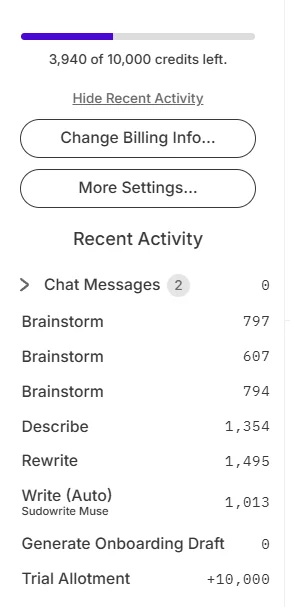
The free trial started with 10,000 credits and required no card. Our session used 6,060: 1,013 for Write, 1,495 for Rewrite, 1,354 for Describe, and 2,198 across three Brainstorm actions. Chat cost zero in the visible activity log. Official documentation says credit cost depends on the model and how much text Sudowrite reads and writes, so credits cannot be converted into a fixed word count. That flexibility also makes budget forecasting harder.
The trial activity log shows 6,060 credits used across one focused review session.
Hobby & Student
$19/month
$10/month equivalent billed annually
Key features
225,000 credits per month
Professional
$29/month
$22/month equivalent billed annually
Key features
1,000,000 credits per month
Max
$59/month
$44/month equivalent billed annually
Key features
2,000,000 credits per month
Unused credits roll over for up to 12 months
07
Our Experience
Sudowrite was at its best when asked to collaborate: continue this scene, offer alternatives, sharpen one sensory moment, or propose plausible plot moves. Write and Brainstorm made the blank page feel smaller. Story Bible supplied a practical context layer, and the chapter export removed lock-in for the text itself.
It was less convincing when accuracy or workflow continuity mattered. Rewrite could preserve numbers while changing the scene logic. Chat needed a second attempt to obey a simple format. Canvas did not feel connected to our project, Brainstorm history was unclear, and the export boundary defect showed that generated and original text can still require mechanical cleanup. The credit meter also dropped fast enough that experimentation felt expensive even before a manuscript-scale test.
What We Did Not Test
We did not buy a paid plan, import a full manuscript, build a multi-book series, test mobile apps, complete an external feedback cycle, contact support, cancel a subscription, request a refund, or compare multiple AI models over a full chapter. We also did not test factual research because Sudowrite is positioned as a creative-writing tool. Those limits cap the rating and prevent claims about long-project consistency or paid-plan economics.
08
Alternatives
Alternative
Choose it when…
Main trade-off
Novelcrafter
You want stronger planning, codex-style continuity, and model choice
More setup and a steeper technical workflow
NovelAI
You prioritize open-ended prose generation and customization
Less guided project structure for conventional novels
Scrivener
You want a mature offline manuscript organizer without generative AI
No built-in AI scene partner
ChatGPT or Claude
You want flexible general-purpose prompting and analysis
You must build and maintain the fiction workflow yourself
09
How it compares
Sudowrite provides a guided fiction-writing workflow. NovelAI emphasizes open-ended prose generation and customization, Scrivener provides mature offline manuscript organization without generative AI, and ChatGPT or Claude offer flexible general-purpose prompting but require the writer to build and maintain the fiction workflow.
10
Final Verdict
Sudowrite earns 7.5/10. It is a polished, inventive fiction co-writer that can generate real momentum, especially for scene expansion, sensory exploration, and plot ideation. The best outputs felt connected to the story rather than interchangeable with generic AI prose. Story Bible gives writers a sensible place to define the canon, and the no-card trial is enough to understand the core workflow.
The score stops below the top tier because the tool still requires vigilant supervision. It can introduce continuity errors, miss explicit instructions, produce more prose than a sentence needs, and burn credits quickly while the writer explores. Canvas and Brainstorm history also need clearer project continuity, and the exported DOCX required cleanup. If you write fiction regularly and enjoy iterative collaboration, Sudowrite is well worth testing. If you need predictable costs, deterministic control, or an AI that can safely draft unattended, it is not the right fit.